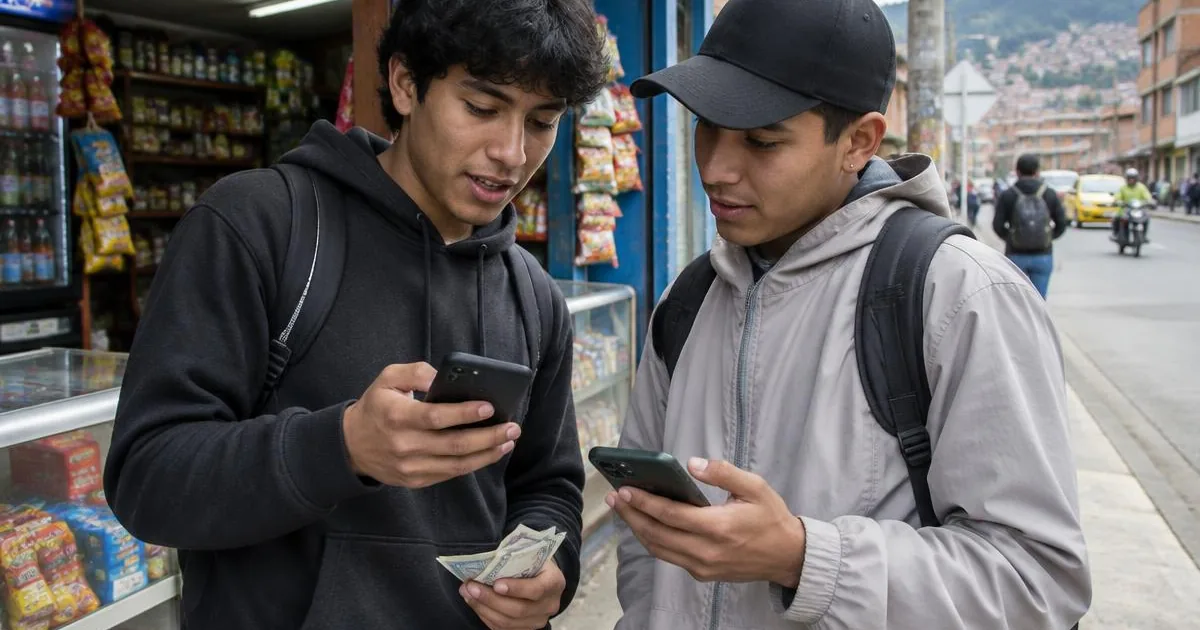
Launching a digital product in Latin America has a familiar pattern. The product works in staging, internal QA signs off, and the launch date is fixed by marketing. Then the first week brings onboarding drop-offs, payment failures that nobody can reproduce in the office, and reviews from users on older phones. Most of those problems were findable before launch, with real users in the target market doing real tasks.
This checklist is for product, QA and market-entry leads preparing an app launch in Colombia, Mexico or other countries in the region. Use it to plan what to validate with real users before go-live, and what to keep watching after.
Before you start: define the launch risk
Not every flow carries the same risk. Before writing test scenarios, list the moments where a failure costs you a customer or money:
- Account creation and identity validation.
- First payment, top-up or transfer.
- Recovering a password or a blocked account.
- Any flow regulated by a financial or telecom authority.
- The first contact with support.
Then rank them. Your pre-launch testing budget should go first to the flows at the top of that list.
The LATAM product launch checklist
1. Onboarding and KYC
- Test identity validation with the real documents your users carry: cédula in Colombia, INE card and CURP in Mexico, and the documents of foreign residents if you serve them.
- Include documents in different conditions (worn, laminated, older formats) and people with different ages and skin tones for facial biometrics.
- Measure retries as well as completion. A user who succeeds on the fourth attempt is a user at risk.
- Check that error messages say what went wrong and what to do next, in plain local language.
- Include minors or guardians if your product allows them, since their flows have different rules.
2. Payments and wallets
- Test every payment method you will offer, with the payment habits of your market in mind: cards, bank transfers, wallets and cash or in-store options.
- Include partial payments, failed payments and refunds, beyond the happy path.
- Verify that amounts, currency symbols and separators are shown in the local format.
- Ask users whether they trust the payment step and why. Perceived security affects conversion as much as the UI.
3. Connectivity
- Test on prepaid mobile data, on weak signal and while switching between Wi-Fi and data.
- Check what happens when a request times out halfway through a payment. Does the user get charged twice? Do they know if it worked?
- Measure app size and data consumption. Users with small data packages notice.
4. Low and mid-range Android devices
- Build a device matrix from your market data, with a strong share of low and mid-range Android phones and older OS versions.
- Watch for camera quality issues in document capture, background kills by battery savers, and text that overflows on small screens.
- Test with large system fonts, which many users turn on.
5. WhatsApp as a channel
- WhatsApp is how many people in the region talk to businesses. If you use it for notifications, codes or support, test those messages in context.
- Check that links open correctly, that codes are easy to copy, and that users can tell an official message from a scam.
- Make sure the handoff between the app and the chat makes sense to users.
6. Accessibility
- Test with users who use screen readers, magnification or voice, and with people with motor disabilities.
- Check contrast, touch target size and the order in which a screen reader reads your flows.
- Include older adults, who are often a large share of banking and insurance customers.
7. Copy and comprehension
- Validate the value proposition: do users understand what the product does and why they should use it?
- Test the tone (tú or usted) and key vocabulary in each country.
- Confirm that every process shows its status and its outcome clearly.
8. Beta and soft launch
- Run a closed beta with recruited users who match your profiles, not just employees and friends.
- During the soft launch, combine analytics with structured user sessions to understand the why behind the numbers.
- Define in advance which findings block the full launch.
9. Post-launch monitoring
- Track completion rates for each critical flow by device, OS and region.
- Review app store comments and support tickets weekly during the first months.
- Schedule a follow-up round of real-user testing after the first major update.
Paruma runs this kind of validation through its product evaluation service (crowdtesting, UAT and error detection), and through channel evaluation when you need to check how apps, websites and service channels work together.
Pre-launch testing in practice: three Paruma cases
Tigo, top-ups across several platforms. Tigo, one of the leading mobile operators in Colombia, wanted to optimize its top-up model across the Mi Tigo app, Web Express and Web Mi TIGO. Paruma designed specific strategies for each channel with real users of different profiles. Users showed a high understanding of the top-up and package purchase process, and the research found differences in how people used each platform, preferences about which channels they want to hear about promotions in, and opportunities to make promotional messages clearer. Tigo used the findings to find more intuitive routes in the Mi Tigo app, design improvements for less-used platforms and keep a package model that scored above 85% in clarity, ease, speed, security and satisfaction. See the Tigo refill pilot case.
Sura, a beta of its express payment website. Sura evaluated the beta version of its Pago Express website, where customers pay car, home, life and health insurance with credit or debit cards. Paruma tested it with real users of different ages, genders, socioeconomic backgrounds and cities in Colombia. Users understood the payment process well, perceived the new version as faster, and identified elements from the old version they wanted to keep, plus improvements for payment search filters. Value proposition comprehension reached 91.55%. Read the Sura express payment case.
Evertec, wallet and partial payments before release. In 2022 Evertec, a leading payment solutions provider in Colombia, wanted to validate wallet payments and partial payments before implementing them that year. Paruma tested each flow with real users of various ages and devices. Payments showed high effectiveness, users understood the wallet functionality well, and the study found areas to improve in partial payments. It also reaffirmed the need for colloquial instructions and clear information about the status and result of each process. Value proposition comprehension reached 96.09%, and favorable perception of the purchase process 87.25%. Details in the Evertec wallet payments case.
The common thread: each company tested before the change reached all its users, with people who matched its real customers.
How to scope the work with a testing partner
When you brief a partner for pre-launch testing, bring:
- The list of critical flows, ranked by risk.
- The build or prototype, test accounts and sandbox payment details.
- Target countries and cities, and the profiles you need.
- Your device and OS distribution, if you have it.
- The launch date and the date by which findings must arrive to be fixed.
A typical evaluation takes one to four weeks depending on the service. Plan it so results land with at least one development sprint left before launch. Paruma has run real-user tests since 2016, with a community in more than five countries and access to more than 5,000 digital devices.
Frequently asked questions
When should pre-launch testing start for a LATAM launch?
Start with a prototype test as soon as the main flows are designed, then test the functional build with real users before beta, and again during a soft launch. Testing one week before go-live leaves no time to fix what you find.
Which flows should I test first?
Onboarding with identity validation and the first payment or top-up. Those are the steps where users drop off and where errors cost you trust. After that, test recurring tasks like checking balance, paying a bill or contacting support.
Do I need to test on low-end Android phones?
Yes, if your audience includes the mass market. Many users in the region use low and mid-range Android devices with limited storage and older OS versions. Your device matrix should come from your market data, not from the phones your team owns.
Is a soft launch a replacement for pre-launch testing?
No. A soft launch shows you what happens at scale, but real customers rarely explain why they abandoned a flow. Structured tests with real users before and during the soft launch tell you why, so you can fix it before the full launch.
How long does pre-launch validation take?
A typical evaluation takes one to four weeks depending on the service and scope. A focused functional round on one flow is faster than a multi-country study with interviews.
Validate your launch with real users
If you have a launch date in Colombia or elsewhere in Latin America, send us your critical flows and timeline. We will propose a pre-launch test plan with local users, their own devices and networks, and a report in English and Spanish. Contact the Paruma team.